
Shopify app · store to store
Move your store's content to another Shopify store. No CSVs.
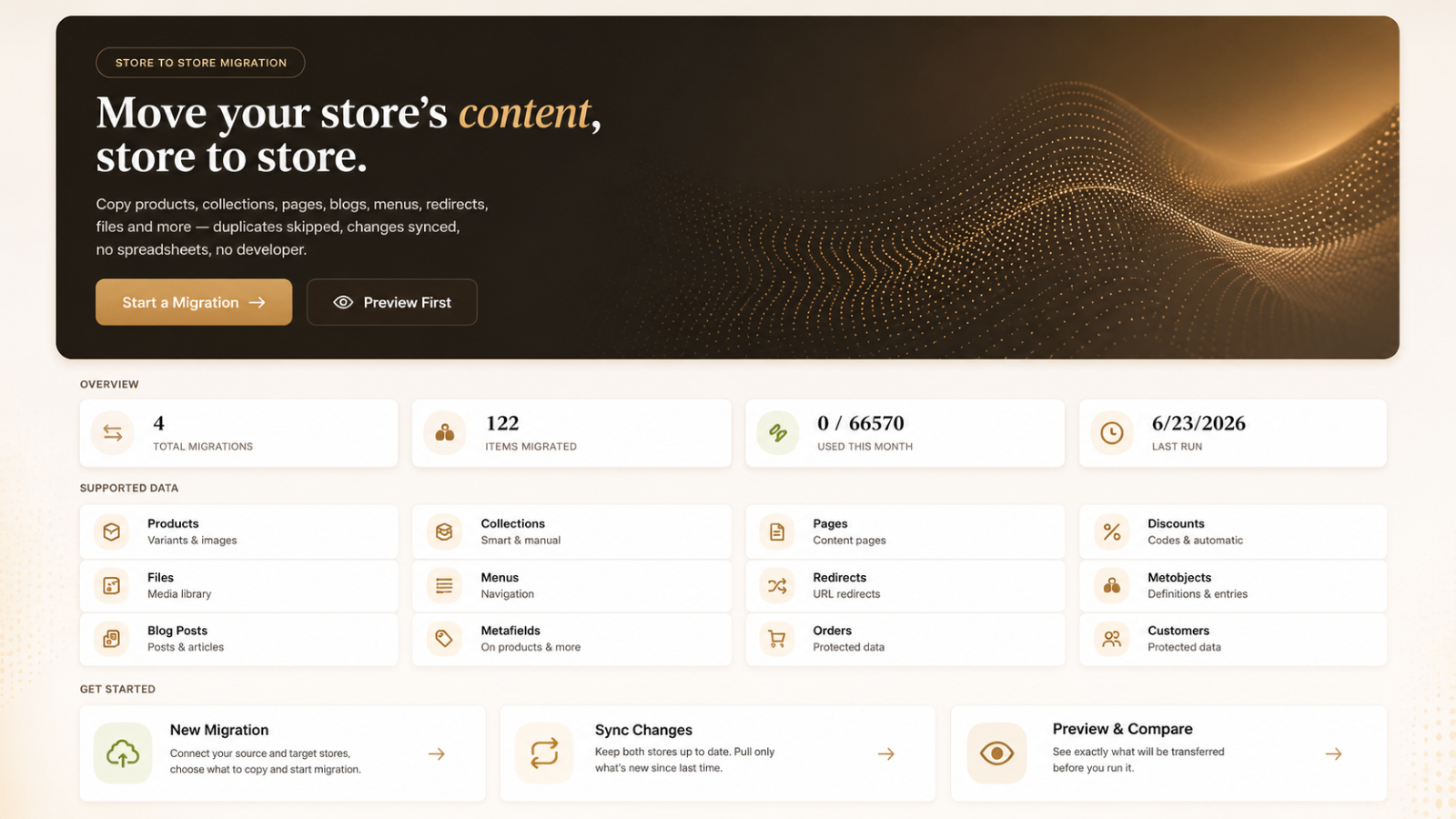
ZS Store Sync & Migration copies products, collections, pages, files, metaobjects and metafields directly from one Shopify store to another. Duplicates are skipped by SKU and handle, so you can run it again at any time, and later sync only what changed.
- Free plan, no credit card
- Preview counts before you run
- Data is not stored on our servers
What it does
When you open a second store, rebuild on a new store, or keep a copy store in step with the original, the usual route is export, edit spreadsheets, import and fix what broke. ZS Store Sync & Migration skips the files: you install it on both stores, pair them with a connection code, choose the data types and run. The run happens in the background and every item is logged.
Who it is for
Merchants moving to a new store
Copy your catalog and content into a fresh Shopify store instead of rebuilding it by hand.
Brands running more than one store
Fill a second store from the first, then keep it up to date with Sync Changes.
Agencies and developers
Move a client's content between stores without spreadsheets, and preview counts before you touch anything.
Features
Direct store-to-store copy
Products, collections, pages, files, metaobjects and metafields move straight from the source store to the target store.
Duplicates skipped
Items are matched by SKU and handle. What already exists is skipped, so running again is safe.
Sync only what changed
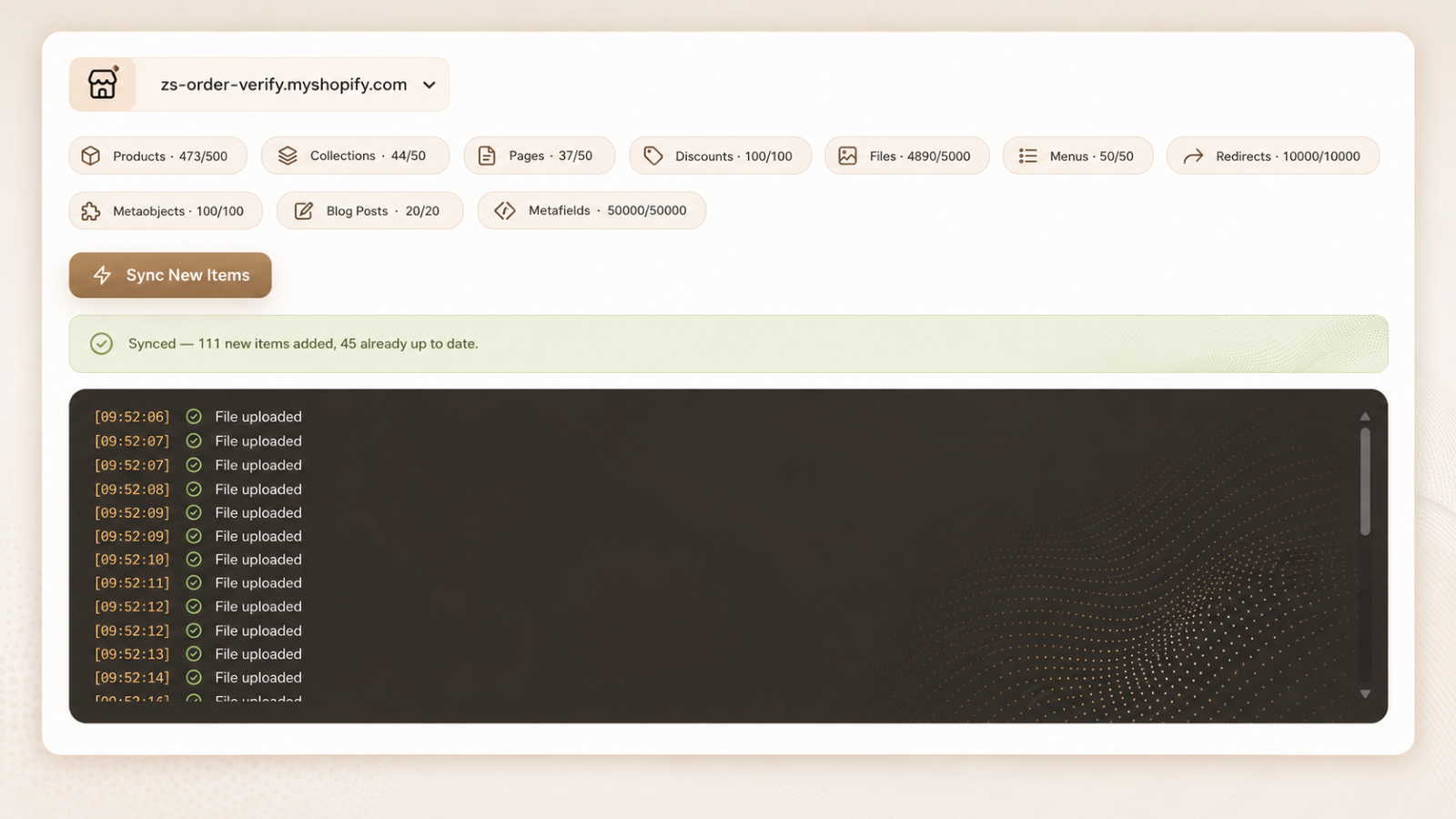
Sync Changes creates new items and updates existing products, collections, pages, blog posts and redirects. Nothing on the target is deleted.
Preview & Compare
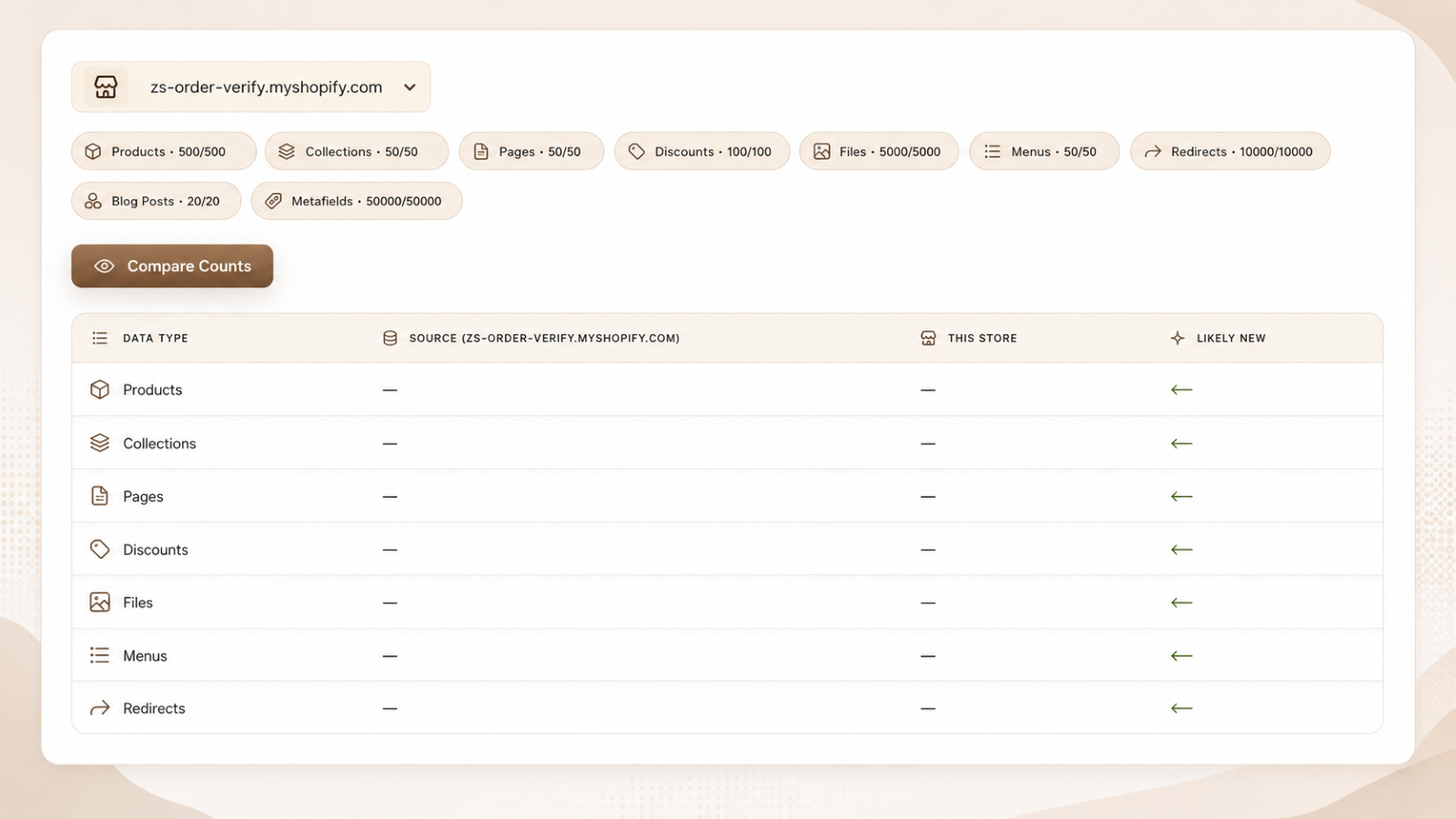
See item counts in the source and the target for each data type, or do a dry run item by item. Nothing changes.
Scheduled and instant sync
On paid plans, run the sync on a schedule and copy product changes about a minute after they are saved.
History, report and undo
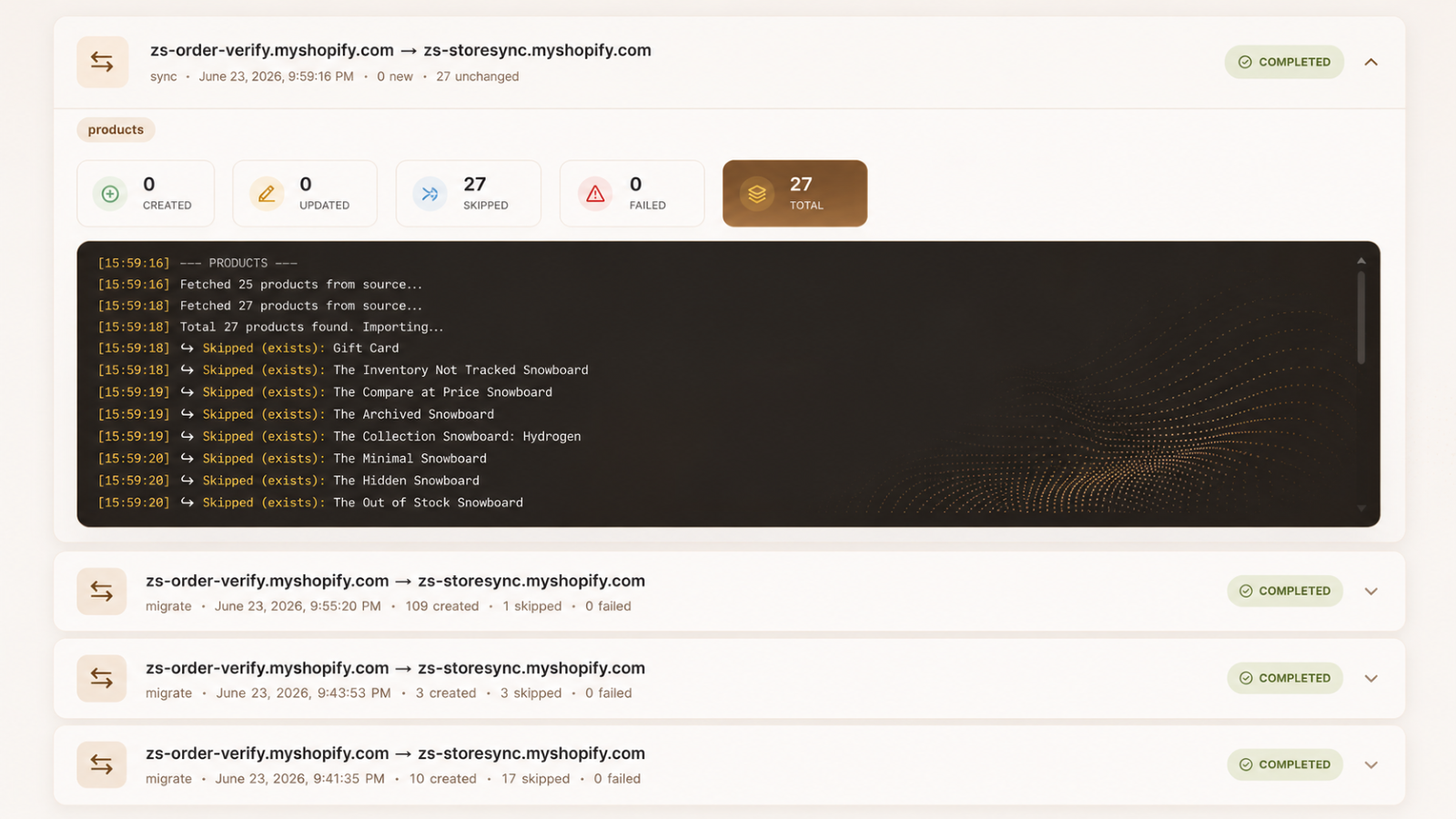
Every run is logged with created, updated, skipped and failed counts. Download a CSV report, and undo a run's created items for 30 days.
How it works
Install on both stores
Install the app on the store you copy from and the store you copy into.
Pair the stores
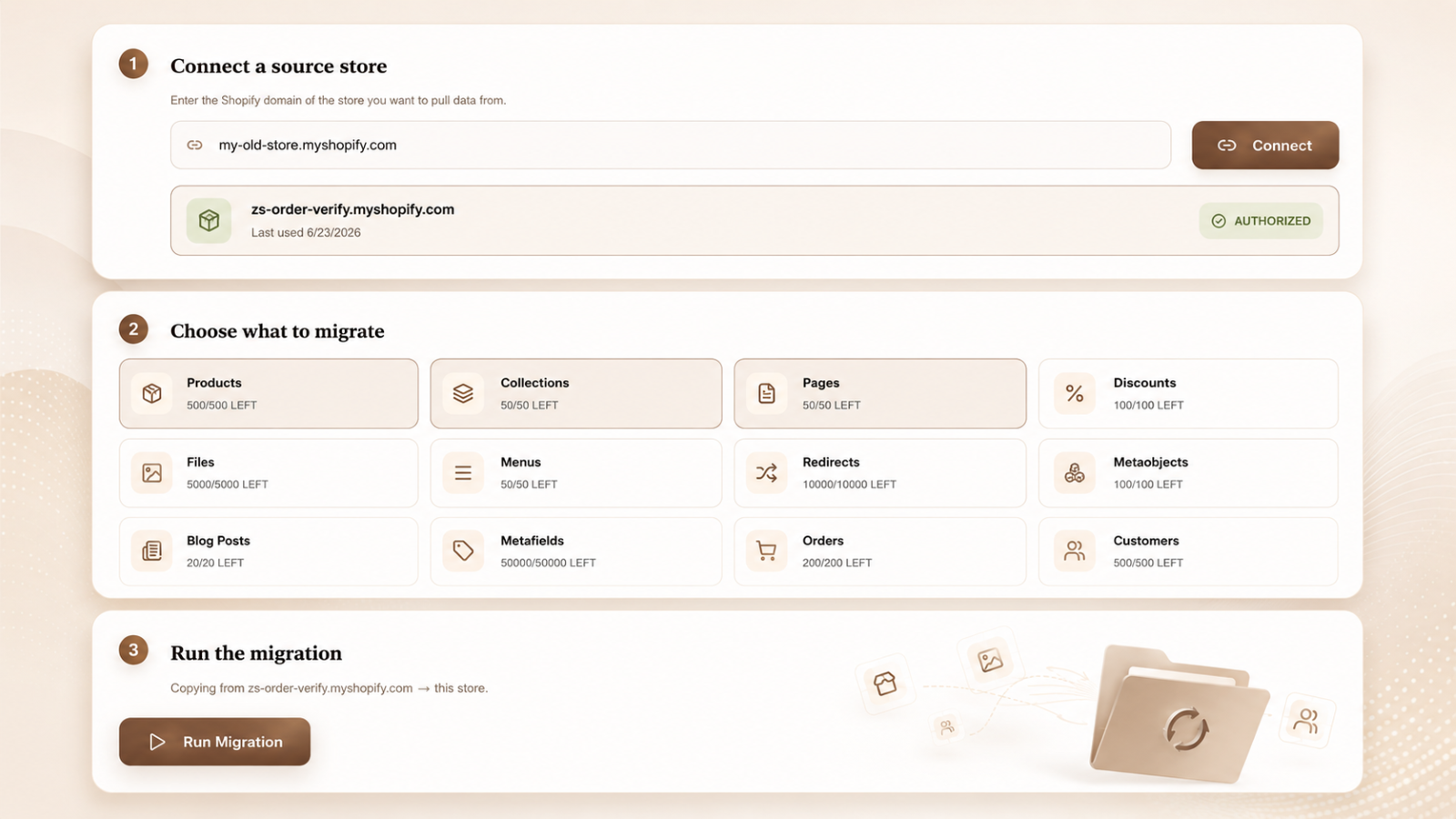
Copy the connection code from Settings on the source store and enter it, with the source domain, on the target store.
Choose what to copy
Pick the data types. Each shows how much of your monthly allowance is left.
Run, then re-sync
Run the migration in the background, check History, and use Sync Changes when the source changes.
What gets migrated
- Productswith variants and images
- Collectionssmart and manual
- Pagescontent pages
- Filesmedia library
- Metaobjectsdefinitions and entries
- Metafieldson products and more
- Discountscodes and automatic
- Menusnavigation
- RedirectsURL redirects
- Blog postsposts and articles
- Orderslast 60 days
- Customersprotected data
Limits and what is not copied
- Orders: Shopify lets apps read only the last 60 days of orders. Orders are recreated with line items, addresses, note and tags; payment, fulfilment and refund records stay on the original store.
- Orders and customers are Protected Customer Data. If Shopify's approval for that data is not active for your store, those two types are skipped and the log says so.
- Sync never deletes anything from the target store.
- Instant sync covers product details, not stock levels or other data types, which follow your schedule.
- Undo removes only the items a run created, and only within 30 days.
- Each data type has its own monthly allowance on every plan; skipped items and updates do not count.
Sync and history
Pricing
Start on the Free plan. Paid plans are billed through Shopify in USD every 30 days, or yearly at a discount.
Free
Free
Free forever
- 30 Products
- 10 Collections
- 20 Pages, 5 Discounts
Starter
$12.99/month
or $139.99/year, save 10%
- 500 Products
- 50 Collections
- 50 Pages, 100 Discounts
Growth
$24.99/month
or $248.99/year, save 17%
- 1500 Products
- 500 Collections
- 200 Pages, 400 Discounts
Pro
$39.99/month
or $459.99/year, save 4%
- 3000 Products
- 2000 Collections
- 500 Pages, 1000 Discounts
Common questions
Do I install the app on both stores?
Yes. Install it on the store you copy from (the source) and on the store you copy into (the target). The source store shows a connection code under Settings in the app; you enter that code and the source store's myshopify.com domain on the target store to pair them.
What happens to items that already exist in the target store?
They are skipped. The app matches items by SKU and handle, so duplicates are not created and it is safe to run a migration again at any time.
Can I sync new or changed items later?
Yes. Sync Changes brings the target store up to date with the source: new items are created, and products, collections, pages, blog posts and redirects that already exist are updated to match. Nothing on the target store is deleted. Paid plans can also run the sync on a schedule (Starter weekly, Growth daily, Pro every 6 hours) and turn on instant sync, which copies product changes about a minute after they are saved.
Is my store data stored on your servers?
Your content passes directly between your two stores and is not kept as a copy on our servers. The app does keep what it needs to run: the pairing between stores, a run log for the History page (customer emails and phone numbers are masked), and the IDs of items a run created so that run can be undone for 30 days.
How much order history can be migrated?
Shopify only lets apps read the last 60 days of orders, so older orders cannot be copied. Your plan's order allowance caps how many of those orders are migrated. Orders are recreated with line items, addresses, note and tags; payment, fulfilment and refund records stay on the original store.
Try it free on your stores
The Free plan needs no credit card. Install on both stores, pair them with a connection code, and run your first migration.